Designing an AI tutor that helps students think, not just code
- Product design
- AI-powered learning
- Interaction design
- Role
- End-to-end UI/UX for the AI tutor, focus timer and Tufy. Rebrand and gamification with the team.
- Timeline
- Jan–Apr 2026 remote, Jul–Aug 2026 onsite
- Team
- Design team
- Scale
- 1.5 million+ learners
The challenge
Coding practice is full of moments when students get stuck. They might not understand what a problem is asking, struggle to find an approach, or submit code that doesn't work.
An AI assistant can help, but there's a tension: if it immediately provides the answer, it may solve the immediate problem without helping the student learn how to solve the next one.
At TakeUForward, we wanted to improve the learning experience while supporting students in their preparation. My focus was to design an AI tutor that could provide help at the right moment without taking over the problem-solving process.
The design question
How might we help students get unstuck while keeping them actively involved in solving the problem?
My approach
I worked on the AI tutor's end-to-end UI/UX, drawing on user interviews and feedback, product analytics, competitor analysis, heuristic evaluation, usability testing, and team discussions.
The design direction centered on three principles:
- Meet students where they are. A student who hasn't started needs different guidance from someone who has written code but received an incorrect result.
- Guide before giving answers. Hints and directions should help students reason through the problem, with the full solution available when explicitly requested.
- Make help contextual. Students need different kinds of assistance depending on whether they're understanding a problem, coding, reviewing a submission, or watching an explanation.
These principles shaped the tutor's interaction design.
Designing for the student's current state
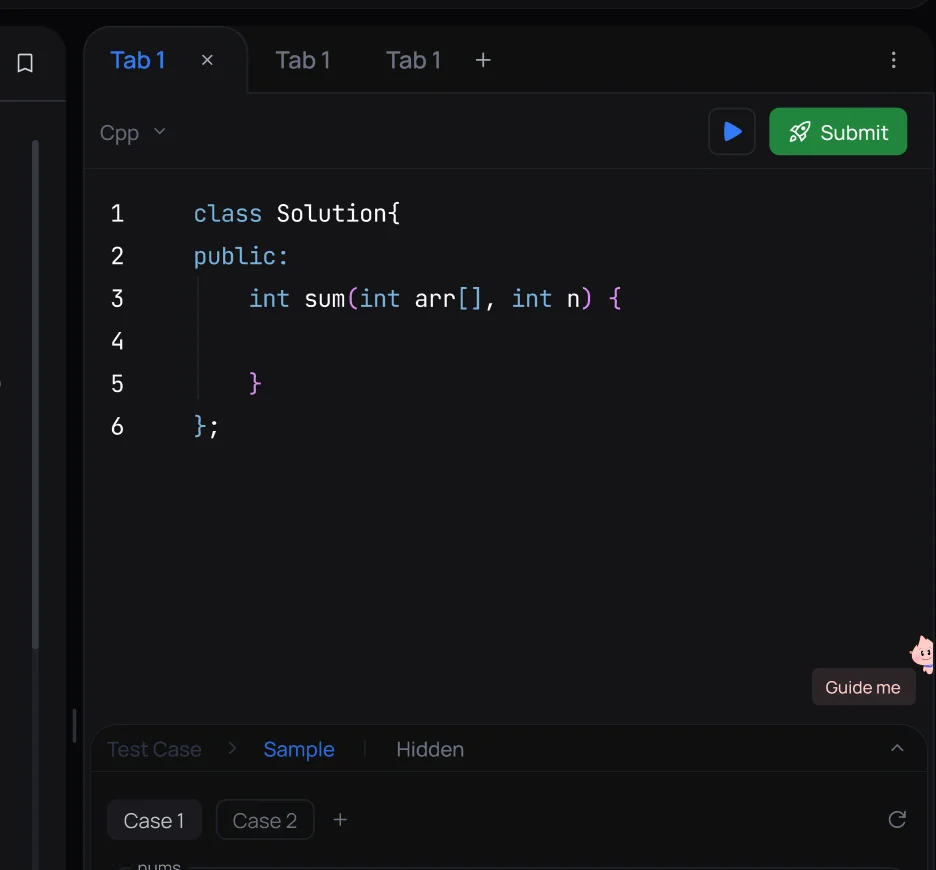
One tutor, different kinds of guidance
A generic chat interface gives students a place to ask questions, but it doesn't necessarily account for where they are in the problem-solving process.
I designed the tutor around four student states:
- Not started
- Help the student understand the problem and find a way to begin.
- Started, but off track
- Encourage the student to reconsider their approach instead of immediately replacing it with a solution.
- Incorrect submission
- Help the student investigate what might be going wrong.
- Partially solved
- Guide the student through the remaining steps.
The key design decision was to treat these as different learning situations, rather than responding to every student in the same way.
A beginner may need help understanding the problem. Someone who has already written code may benefit more from a targeted hint. A student who has solved part of the problem needs help progressing from where they are, not starting over.
Why this matters:The goal was not simply to make AI assistance available. It was to make that assistance appropriate to the student's current task.
Designing the tutor as a learning interaction
Help should move the student forward
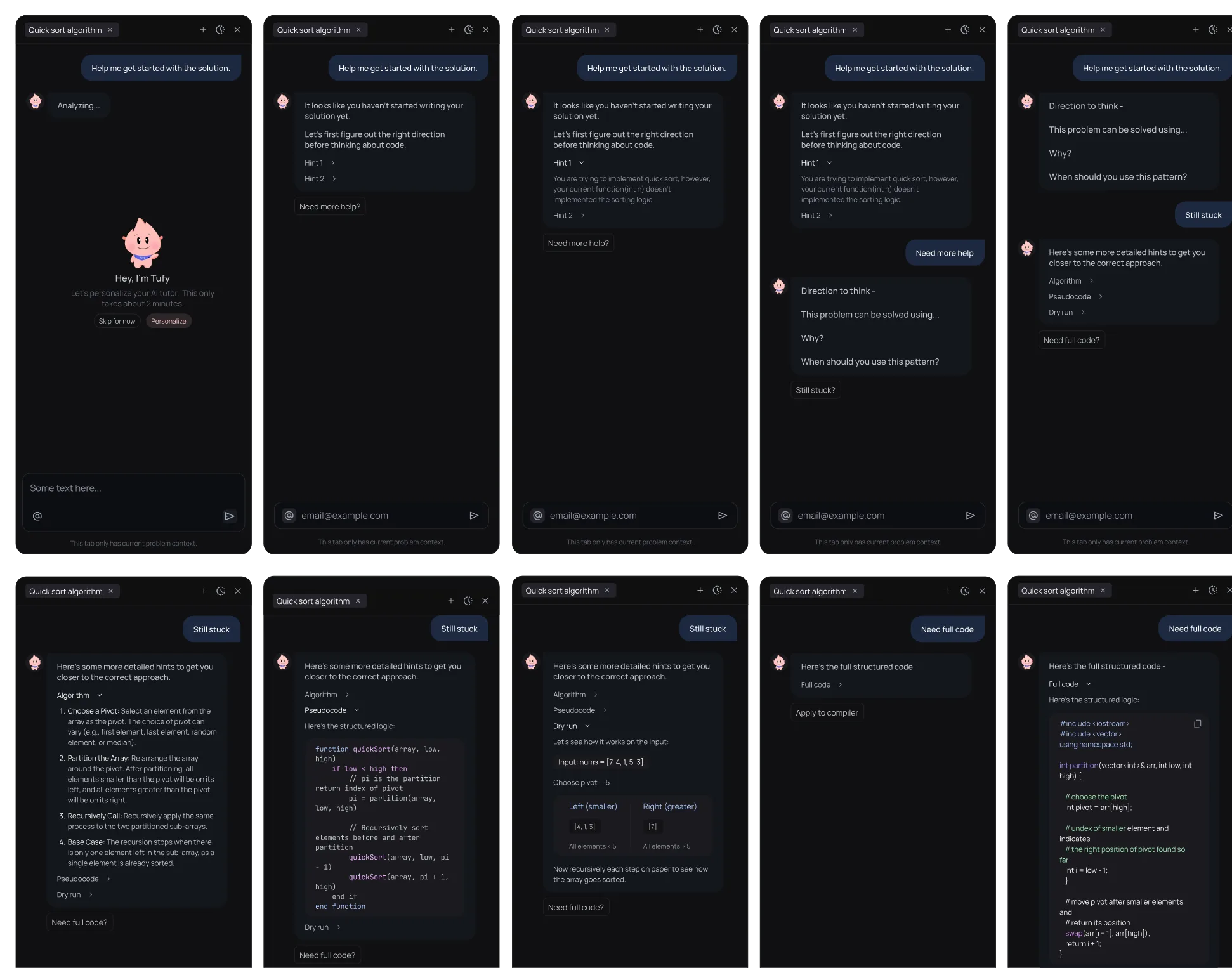
I designed the tutor as a guide, not a shortcut. Help comes in steps: a hint first, then help reasoning through the next step, and the full solution only when the student asks for it.
- Not started
- Off track
- Incorrect submission
- Partially solved
- 1Hintstarts here
- 2Direction to think
- 3Algorithm and pseudocode
- 4Full codeonly when asked
The important distinction is between giving information and supporting progress. The interface needs to help students understand what to do next while leaving room for them to think and act.
The conversation below shows this in practice.
One assistant across different learning contexts
The tutor also appears in different parts of the product. Its purpose changes according to what the student is doing.
| Context | Design purpose |
|---|---|
| Coding editor | Guide the student through a problem using contextual hints. |
| Problem statement | Simplify the problem to make it easier to understand. |
| Submissions | Explain the submission, including complexity and efficiency. |
| Editorial video | Explain a specific topic from the video. |
This required thinking beyond the chat window itself. The same assistant needed to fit into different workflows and provide the kind of help relevant to each one.
For example, a student reading a problem statement may need clarification before attempting it. A student reviewing a submission may want to understand its complexity or efficiency. Someone watching an editorial may need a particular concept explained without losing track of the lesson.
The design goal was to bring assistance closer to the student's current task rather than treating every interaction as a generic conversation.
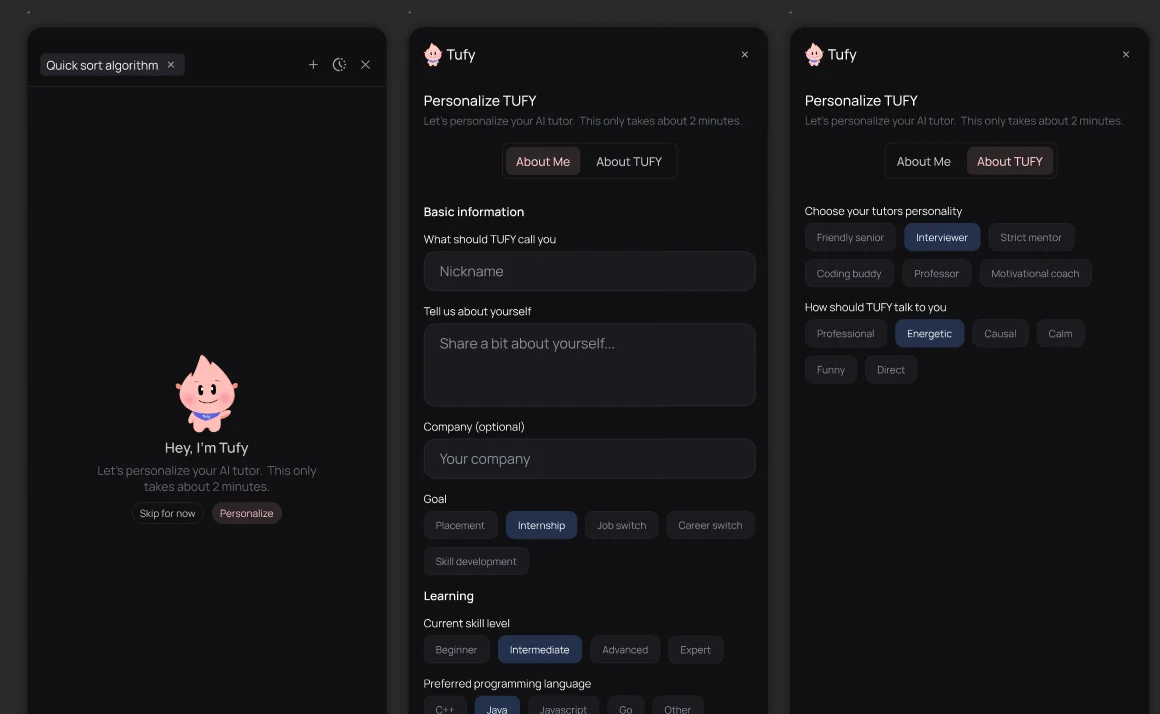
Giving the tutor a personality through Tufy
Making the assistant recognizable
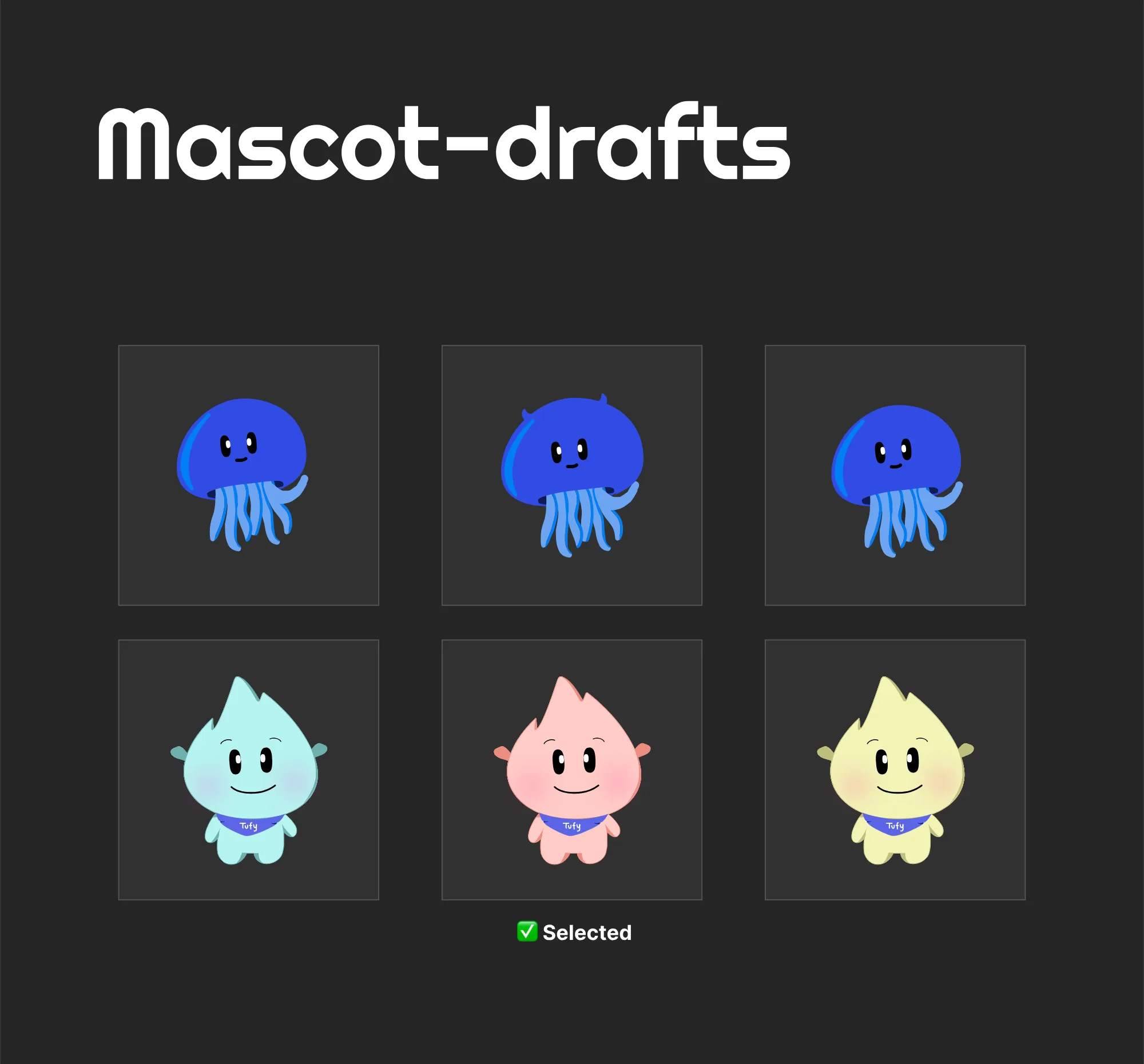
I also designed Tufy, a mascot that gives the AI tutor a recognizable face and adds to TakeUForward's identity.
I explored several character directions, including a jellyfish-inspired tutor and water- or flame-inspired forms. The aim was to create something friendly and distinctive rather than another generic assistant symbol.
One principle guided the exploration: Tufy should be recognizable from its core shape, not depend on an accessory to establish its identity.
I explored large eyes and an innocent smile to communicate a friendly, approachable personality.
I also explored how Tufy could appear in different product contexts, including loading and empty states.

Supporting the wider practice experience
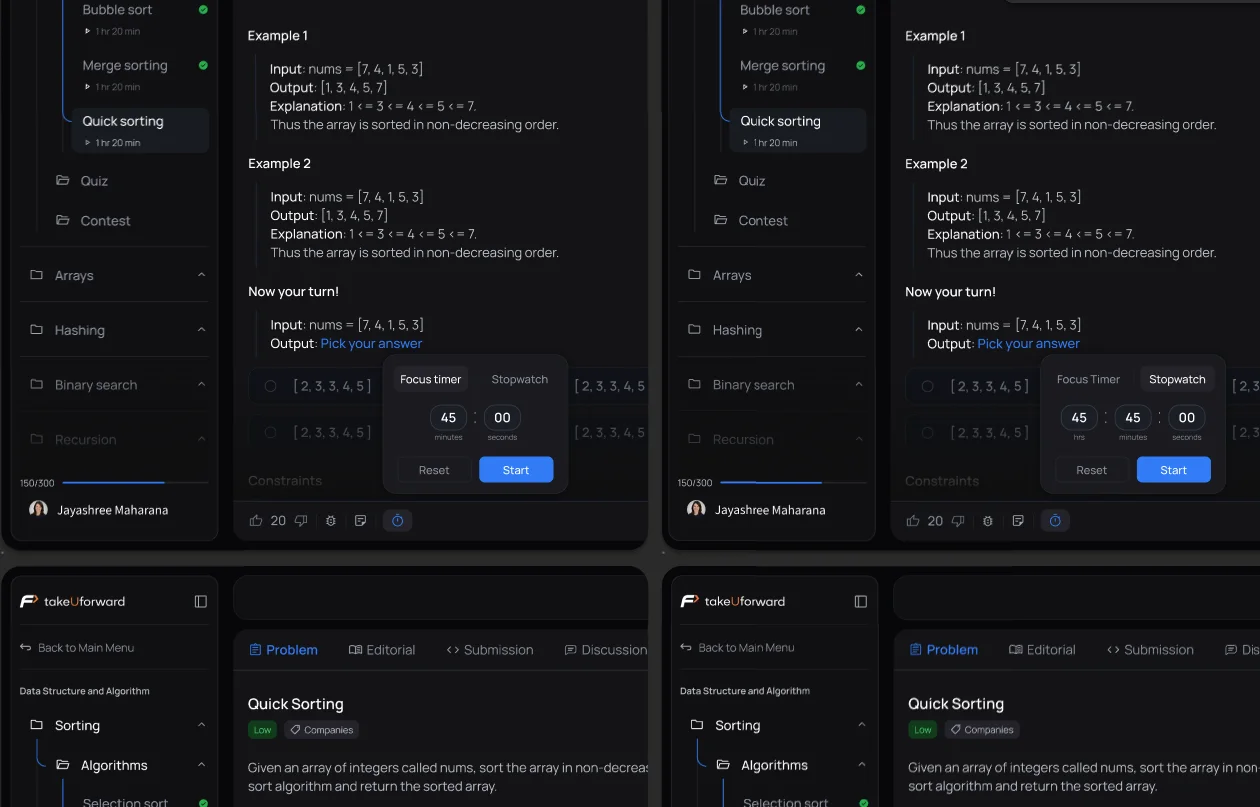
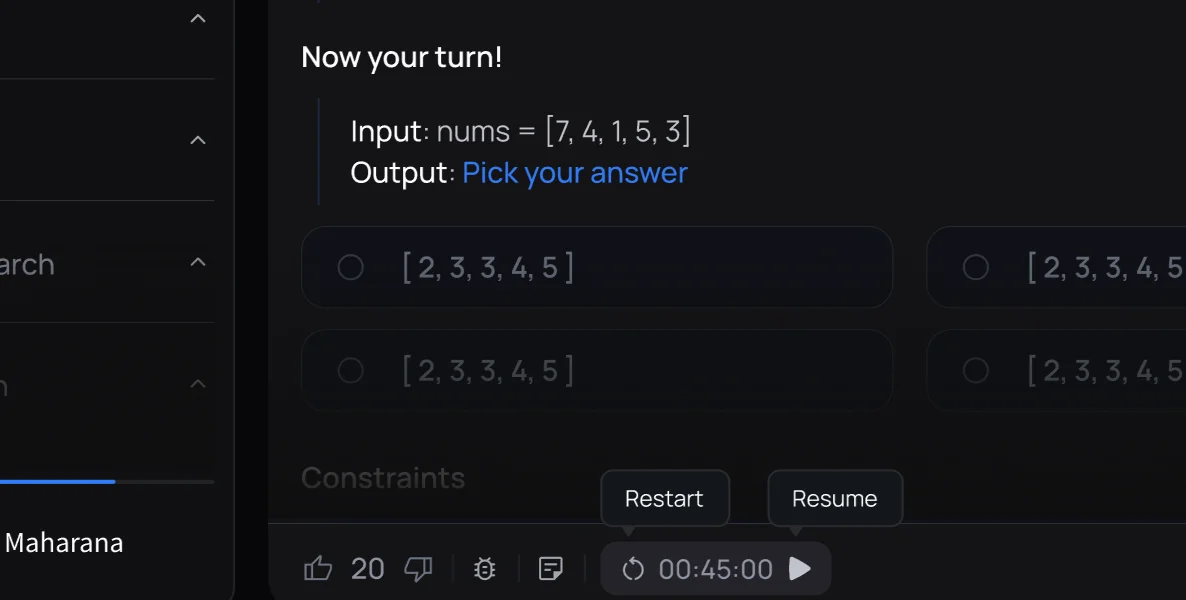
Alongside the tutor, I designed a focus timer that lets students start, pause, resume, and restart timing for an individual question, add time when the countdown ends, or use a stopwatch instead.
This keeps time management inside the problem-solving workflow, so students don't need a separate tool.
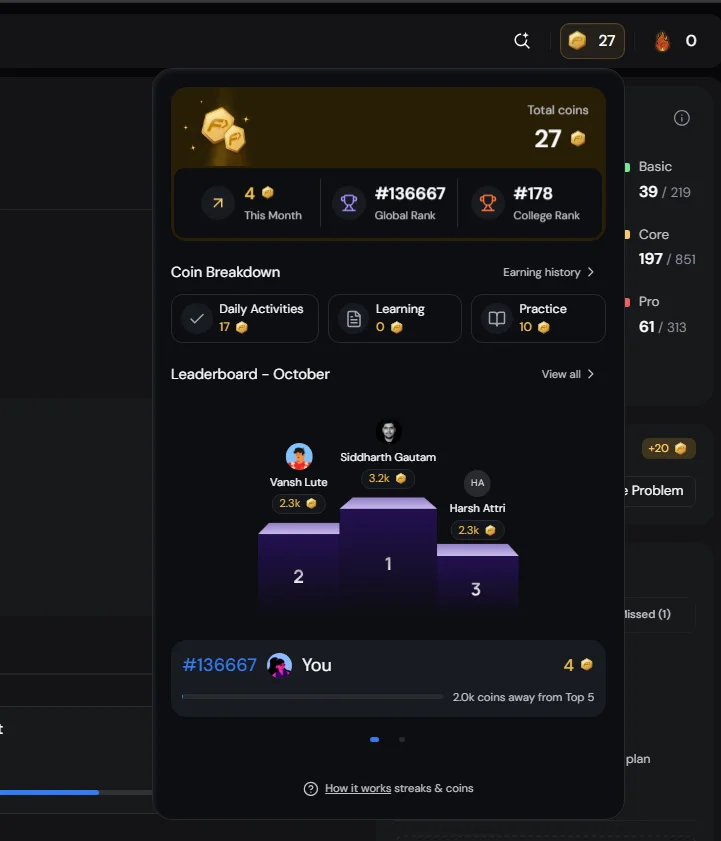
I also collaborated with the design team on gamification, including coins, streaks, leaderboards, and rewards. Coins can be used toward goodies and AI credits, connecting activity on the platform with visible progress and rewards.
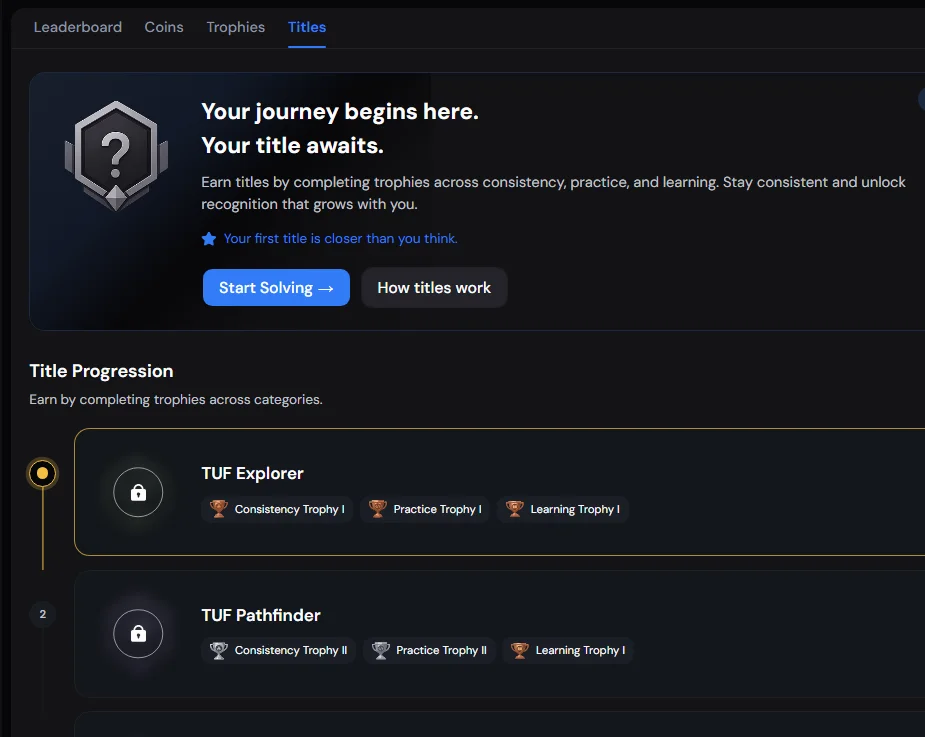
The wider product also underwent a visual rebrand. Working with the team, we moved from an interface that relied heavily on orange and glassmorphism to a blue direction chosen to feel more welcoming and trustworthy.
Before
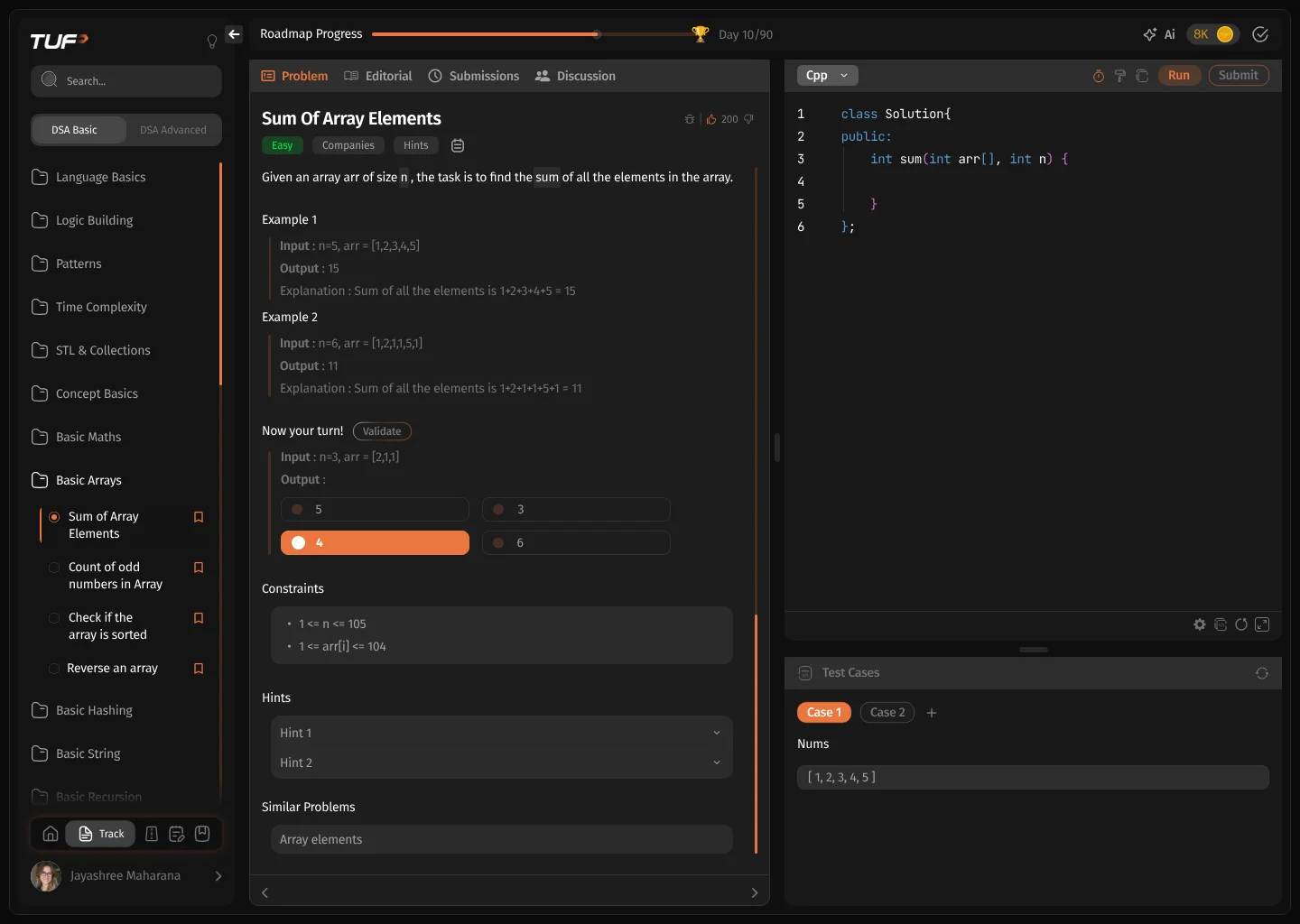
After
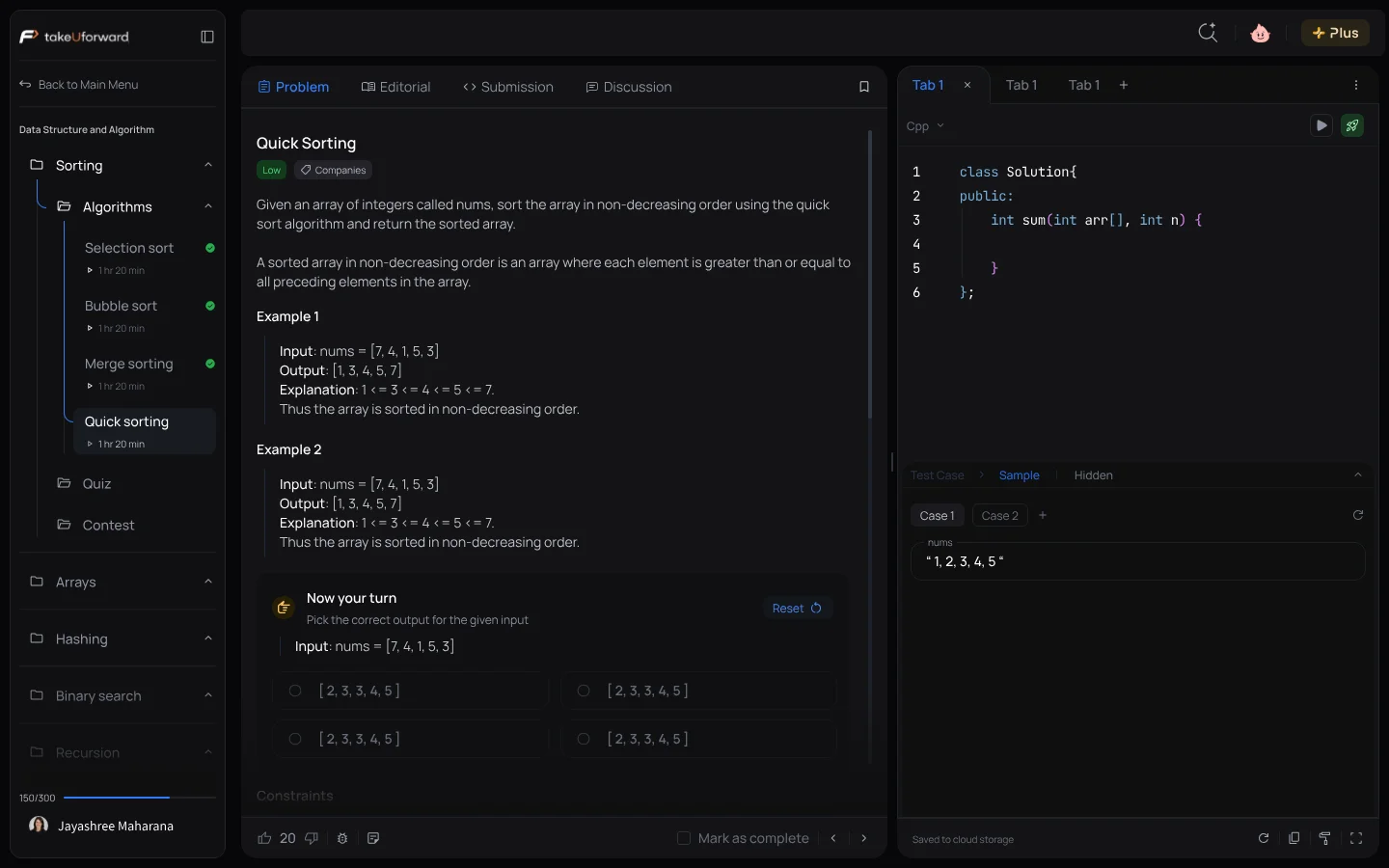
These areas supported the broader goal of improving the practice experience, with the AI tutor at the center of my work.
Fitting into an established product
With 1.5 million+ learners already preparing on the platform, the work had to fit into an existing product, not start from scratch. The tutor had to make sense in each context, the timer needed clear controls across its states, and the mascot and rewards had to feel part of the same product.
Outcomes and ongoing learning
The major pieces of work shipped to the live product, and we collected another round of user feedback after launch. The team continues to improve the experience.
Last day of internship for @anushree210 (Design)
She contributed to one of the most important things in Zenkai – TUFY! Along with it, landing pages as well.
Good luck 🤞 You brought in a lot of energy, team's going to miss it. Hope to have you back next year 🙌
There are no verified numbers yet on retention, learning outcomes or engagement. To evaluate the design, I would look at:
- How students use and return to the tutor.
- Whether the tutor's guidance helps students progress without prematurely revealing answers.
- Which tutor contexts students find most useful.
- How students use the focus timer and its different controls.
- Whether feedback identifies problems with the mascot or updated visual identity.
What I'd do differently
With the benefit of hindsight, I would make the evaluation of the tutor's learning experience an explicit part of the design process.
Adoption alone would not tell me whether the tutor was helping students learn. I would want to understand whether students could continue solving problems after receiving a hint, whether they understood the guidance, and when they felt the tutor was giving too much or too little help.
I would also document the relationship between each student state, the guidance shown, and the intended learning outcome more explicitly. That would make the design rationale easier to evaluate and the interaction easier to refine.
The takeaway
This work taught me to think about AI assistance as an interaction-design problem, not just a chat interface. The important question was not simply what the assistant could answer, but how it could help students make progress while remaining active participants in their own learning.